Hey there, amazing readers! If you’re anything like me, you’re constantly looking for that edge, that little spark of wisdom that transforms your everyday into something extraordinary.
In this ridiculously fast-paced digital world, it’s easy to feel overwhelmed by the sheer volume of information out there. That’s exactly why I started this space – to cut through the noise and deliver genuinely useful insights, fresh trends, and actionable tips that you can actually use to supercharge your online life, your gaming skills, or even your creative pursuits.
I’ve spent countless hours diving deep into what makes content truly resonate, what keeps us hooked, and how we can all leverage the latest tech to our advantage.
From decoding the newest digital marketing shifts to predicting the next big thing in online engagement, my mission is to share the kind of practical knowledge that I’ve personally tested and found to be a game-changer.
Think of this as your friendly guide through the exciting, ever-evolving landscape of the internet, always keeping an eye on what’s next and how we can all ride that wave to success.
Speaking of game-changers, let’s talk about something that often gets overlooked but can drastically impact your performance in competitive gaming: finding that perfect mouse sensitivity in your favorite FPS titles.
I’ve been there, endlessly tweaking settings, feeling like I’m either overshooting every target or moving like a snail. It’s a delicate balance, and honestly, it’s one of those things that separates the casual players from those who truly dominate.
It might seem like a small detail, but trust me, getting your sensitivity dialed in can unlock a whole new level of precision and control you didn’t even know you were missing.
This isn’t just about copying a pro’s settings; it’s about understanding *your* playstyle and finding what truly clicks for you. Let’s get it exactly right.
Beyond Raw Numbers: Understanding Your Personal Connection
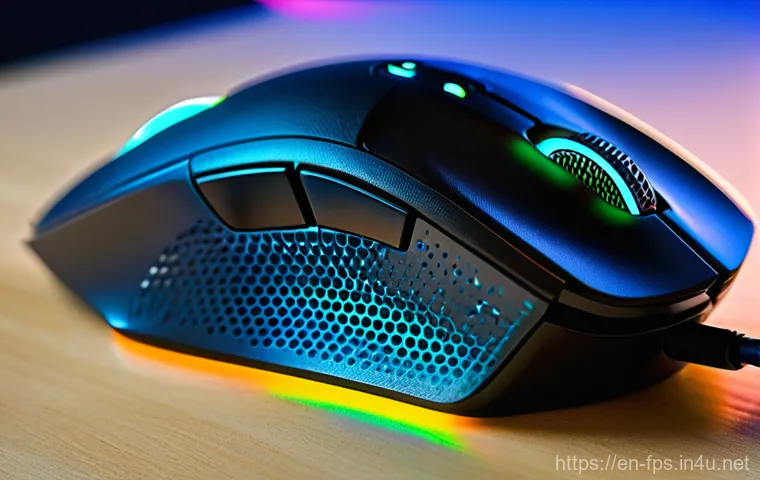
You know, it’s easy to get caught up in the numbers game when it comes to mouse sensitivity. We see our favorite pro players rocking absurdly low eDPIs or seemingly impossible high ones, and the immediate instinct is to just copy paste their settings into our own game. I’ve been there, trust me. I remember trying to force myself to play with a super low sensitivity like some CS:GO legends, only to find my arm flailing wildly across my desk, hitting nothing but air. It was frustrating, to say the least! What I quickly realized, and what I want you to grasp too, is that your perfect sensitivity isn’t just a number; it’s an extension of your natural movement and how you physically interact with your mouse and mousepad. It’s about comfort, fluidity, and finding what feels utterly seamless for *you*, not some esports superstar. Think of it less like a rigid formula and more like a custom-tailored suit – it has to fit your unique physique and style perfectly to make you look and feel your best.
The Feel Factor: Why Comfort Trumps Copying Pros
Honestly, the biggest mistake I see players make is slavishly replicating pro settings without understanding the “why” behind them. Pros spend thousands of hours honing their craft, and their sensitivities are a deeply ingrained part of their muscle memory and playstyle. What works for someone who’s been playing 12 hours a day for a decade might feel utterly alien to you. When I finally let go of the idea that I *had* to play with a certain sensitivity, a huge weight lifted. I started experimenting based purely on what felt good. Can you comfortably do a 180-degree turn in-game without lifting your mouse? Can you make small, precise adjustments without overshooting? These are the questions that truly matter. Your aim should feel like a natural extension of your thoughts, not a wrestling match with your mouse. Don’t be afraid to trust your gut feeling over a spreadsheet of pro settings.
Your Playstyle Blueprint: Aggressive vs. Tactical
Your individual playstyle in an FPS game is also a massive factor in figuring out your ideal sensitivity. Are you the type of player who’s always pushing, taking aggressive peeks, and diving into enemy territory? If so, you might find that a slightly higher sensitivity allows you to react quicker to threats from multiple angles and make those rapid turns necessary for close-quarters combat. On the flip side, if your game is more about holding angles, precise long-range engagements, and methodical positioning, a lower sensitivity often provides the stability and minute control needed for pixel-perfect headshots. I learned this the hard way playing Valorant – trying to entry frag with a super low sens meant I’d get caught flat-footed too often, but then when I switched to a more sentinel role, that lower sens became my best friend for locking down sites. Reflect on how you naturally play; it’s a huge clue to what kind of sensitivity will empower you.
The Science Behind the Swipe: DPI, eDPI, and Why They Matter
Alright, let’s get a little technical for a moment, but I promise to keep it digestible and super practical. Understanding the underlying mechanics of mouse sensitivity isn’t just for tech geeks; it genuinely helps you make informed decisions when you’re tweaking your settings. When I first started diving into this, all the acronyms like DPI and eDPI felt like a foreign language, but once it clicked, it made so much sense! These aren’t just random numbers; they’re the bedrock of how your mouse translates your physical movements into on-screen action. Knowing how they interact gives you a kind of superpower, allowing you to fine-tune your aim with surgical precision rather than just blindly guessing. It’s like understanding the engine of a race car instead of just knowing how to drive it – you can optimize it for peak performance.
Demystifying DPI: Sensor Sensitivity Explained
DPI, or Dots Per Inch, is fundamentally a measure of how sensitive your mouse’s optical or laser sensor is. In simple terms, it dictates how many pixels your on-screen cursor moves for every inch you move your physical mouse. A higher DPI means your cursor will travel further for the same physical movement, and a lower DPI means it will travel less. Most modern gaming mice allow you to adjust your DPI on the fly, often with a dedicated button. While some players swear by extremely high DPI settings and lower in-game sensitivity, and others prefer a lower DPI with a higher in-game sens, the general consensus for optimal performance tends to hover around 400, 800, or 1600 DPI. Personally, I’ve found that picking a DPI that feels responsive but not twitchy on your desktop and then making finer adjustments in-game is a solid starting point.
eDPI: The Universal Language of Aim
Now, this is where it all comes together! eDPI, or Effective Dots Per Inch, is the true universal measure of your overall mouse sensitivity. It’s calculated by multiplying your mouse’s DPI by your in-game sensitivity setting (DPI x In-Game Sensitivity = eDPI). Why is this so crucial? Because it allows you to compare sensitivities across different games and with other players, regardless of their individual DPI or in-game settings. For instance, if you play CS:GO with 800 DPI and an in-game sens of 1.0, your eDPI is 800. If you then move to Valorant and want a similar “feel,” you’d aim for an eDPI around 800, adjusting the Valorant in-game sens accordingly. This concept was a revelation for me! It took the guesswork out of translating my comfort zone from one game to another and really helped me maintain consistency across my gaming sessions.
In-Game Sensitivity: Your Final Adjuster
While DPI is controlled by your mouse hardware, in-game sensitivity is a software setting within each game. This is your primary tool for fine-tuning your eDPI. Once you’ve settled on a comfortable DPI for your mouse, you’ll be spending most of your adjustment time here. The beauty of in-game sensitivity is that it allows for extremely granular control. You can usually change it in tiny increments, letting you dial in that perfect eDPI precisely. I always recommend making small adjustments and then playing for a bit to see how it feels. Don’t just bump it up or down drastically. A common strategy is to start with a target eDPI range (which we’ll cover in a moment!), set your mouse DPI, and then adjust the in-game sensitivity until you hit that sweet spot. It’s a dance between hardware and software, and you’re the choreographer!
Finding Your Groove: Practical Steps to Discovering Your Sweet Spot
Okay, enough theory! Let’s talk about how you can actually go about finding *your* perfect sensitivity. This isn’t a one-and-done deal, and it takes a bit of patience and experimentation, but the payoff is absolutely worth it. When I was first trying to find my settings, I felt like I was just throwing darts in the dark. It was frustrating, and honestly, a bit demotivating. But after countless hours of testing and reading, I’ve developed a pretty solid approach that has helped me, and many friends I’ve guided, land on a sensitivity that feels just right. It’s all about a systematic approach rather than just randomly sliding bars. Think of it like a treasure hunt, and at the end of it, you’ll unearth the key to more precise aim and ultimately, more wins.
The Benchmark Method: Start Broad, Refine Narrow
Here’s what I usually tell people: start with a broad eDPI range. For most FPS games, a good starting eDPI for a beginner or intermediate player is often somewhere between 400 and 1200. I personally gravitate towards the 600-900 range for most tactical shooters. Pick a DPI on your mouse that feels comfortable (e.g., 800 DPI is a common, stable choice). Then, calculate what in-game sensitivity you’d need to hit an eDPI within that range. For example, with 800 DPI, an in-game sensitivity of 1.0 would give you an 800 eDPI. Now, jump into a custom game or a training range. Practice turning 180 degrees quickly and smoothly. Can you comfortably turn around to face an enemy behind you without lifting your mouse? Also, try tracking a moving target – does your crosshair feel sticky and precise, or does it overshoot wildly? Make small adjustments (0.05 or 0.1 increments in-game) until it feels “right.” This isn’t about hitting perfect shots yet, but about finding a comfortable baseline for movement.
The Wrist vs. Arm Debate: What Works for You?
This is a classic debate among FPS players, and honestly, there’s no single “right” answer, just what works best for *you*. Are you more of a wrist aimer, making small, quick adjustments with your wrist and fingers? Or do you prefer arm aiming, using your entire arm for broader movements and leveraging your wrist for micro-adjustments? Generally, higher sensitivities lend themselves to wrist aiming due to the smaller movements required, while lower sensitivities almost necessitate arm aiming to cover the larger distances needed for turns. I’ve found myself drifting towards arm aiming over the years, as it provides a lot more stability for tracking targets over longer distances, even if it took some getting used to. Try to identify your natural tendency. Do you unconsciously use your wrist or your arm more for aiming? Then, adjust your sensitivity to complement that natural movement. Don’t fight your body; work with it!
Training Smarter, Not Harder: Drills to Dial In Your Aim
Once you’ve got a sensitivity that feels pretty good, the real work begins: refining it and building that crucial muscle memory. Simply having the “right” number isn’t enough; you need to train your body and mind to execute with it consistently. I used to think more game time was the only answer, but I quickly learned that structured practice trumps endless casual matches every single time. It’s like going to the gym – you don’t just wander around; you follow a routine to target specific muscle groups. Aim training is no different. You’re building neural pathways and strengthening the connection between your brain, your hand, and what’s happening on screen. It’s a process, and it takes dedication, but seeing your aim improve because of focused effort is incredibly rewarding. Trust me, dedicating even 15-20 minutes a day to these specific drills can have a profound impact on your in-game performance.
Flick Shot Fundamentals: Building Muscle Memory
Flick shots are those rapid, almost instinctual movements where you quickly snap your crosshair to an enemy and fire. They’re essential for reacting to unexpected threats. To practice this, jump into an aim trainer or a custom game with bots. Set up targets that appear randomly. The drill is simple: as soon as a target appears, “flick” your crosshair directly onto it and click. Don’t worry about hitting every shot perfectly at first; focus on the speed and precision of your initial movement. Start slowly, ensuring your flicks are deliberate and accurate, then gradually increase your speed. Pay attention to how your sensitivity feels during these flicks. Is it too high, causing you to overshoot? Too low, making you drag your mouse across your pad? Make tiny adjustments as needed. I personally love the “Popcorn” or “Gridshot” scenarios in aim trainers like Kovaak’s or Aim Lab for this; they really help engrain that muscle memory.
Tracking Precision: Keeping Your Crosshair Locked On
Tracking, on the other hand, is about continuously keeping your crosshair on a moving target. This is critical in games with longer time-to-kill or when engaging enemies who are strafing. For tracking drills, again, head to your aim trainer or custom game. Find scenarios where bots move unpredictably. Your goal is to keep your crosshair glued to the target as it moves, without overshooting or lagging behind. This often reveals if your sensitivity is too high (you’ll shake too much) or too low (you won’t be able to keep up). During these drills, try to be mindful of your breathing and how tense your grip is. A relaxed grip and smooth, controlled arm movements are key. I’ve found that scenarios like “Ascended Tracking” or “CataBOTS” are fantastic for developing this skill. The more smoothly you can track, the more consistently you’ll land those crucial shots.
When to Tweak (and When Not To): Adapting to Change
So, you’ve found a sensitivity you’re comfortable with, and you’re hitting your shots. Awesome! But the journey doesn’t end there. The gaming landscape, your personal setup, and even your own physical condition can change. The question then becomes, when is it okay to make adjustments, and perhaps more importantly, when should you absolutely resist the urge to tinker? I’ve been down the rabbit hole of endless sensitivity changes more times than I care to admit, and it’s a dangerous path that leads to inconsistency and frustration. It’s like trying to fix something that isn’t broken – you often just make it worse. The key is to be intentional and strategic about any changes you make, rather than impulsive. Developing this discipline will save you a lot of headaches and help you build true, lasting muscle memory.
The Plateau Problem: When a Small Change Helps
There are legitimate reasons to consider a sensitivity tweak. One of the most common is hitting a plateau in your performance. You’ve been practicing, but your aim just isn’t getting better, or you feel like you’re consistently making the same types of errors (e.g., always overshooting, always undershooting). In such cases, a *small* adjustment might be beneficial. And I mean small – we’re talking 0.01 or 0.02 increments in-game. Sometimes, even a minuscule change can break you out of a rut and help you find a new level of precision. Another valid reason is a significant change in your setup, like a new mouse, mousepad, or even a different desk height. These physical changes can subtly alter your aiming ergonomics, warranting a slight re-evaluation of your sensitivity. Always remember, the goal is improvement, not just change for the sake of it.
Avoiding the Endless Cycle: Stick with It!
However, the vast majority of sensitivity changes are probably detrimental. If you’re constantly changing your settings every day, or even every week, you’re not giving your muscle memory a chance to develop. Every time you switch, you’re essentially resetting that learning process. This is the “endless cycle” I mentioned, and it’s a trap many players fall into. My personal rule of thumb is this: once I’ve settled on a sensitivity, I commit to it for at least a few weeks, ideally a month, before even considering another change. During that time, if I feel like my aim is off, I blame myself and my practice, not the settings. Consistent practice with a stable sensitivity is far more effective than constantly chasing an imaginary “perfect” number. Trust the process, and trust your training.
Gear Up: How Your Hardware Impacts Sensitivity
While we talk a lot about DPI and in-game settings, it’s crucial to remember that your mouse sensitivity isn’t just a software setting; it’s a physical interaction. The tools you use, your actual hardware, play an enormous role in how your chosen sensitivity translates into in-game performance. I’ve personally seen and experienced the difference a good mouse or mousepad can make. Trying to aim with a cheap, inconsistent sensor or a worn-out mousepad is like trying to draw a perfect circle with a blunt crayon – it’s just not going to happen efficiently. Investing in quality peripherals isn’t just about showing off; it’s about giving yourself the best possible foundation for consistent and precise aim. Don’t let your hardware be the weakest link in your aiming chain!
Mouse Choice: Weight, Shape, and Sensor Quality
Your gaming mouse is arguably the most critical piece of hardware for aim. Its weight, shape, and especially its sensor quality can dramatically affect how you perceive and execute your sensitivity. A lightweight mouse might feel faster and more flick-friendly, while a heavier one can provide more stability for tracking. The shape dictates your grip style (palm, claw, fingertip), which in turn influences how you move the mouse. Most importantly, however, is the sensor. Modern gaming mice from reputable brands feature top-tier optical sensors that offer pixel-perfect tracking without acceleration or prediction, ensuring your physical movements are translated 1:1 on screen. Trying to aim with an older, cheaper mouse that has sensor inconsistencies can make finding and maintaining a stable sensitivity an absolute nightmare. When I upgraded to a mouse with a flawless sensor, it felt like night and day; my micro-adjustments suddenly became so much more reliable.
Mousepad Matters: Surface Friction and Control
Often overlooked, your mousepad is the unsung hero of consistent aim. It’s the surface your mouse glides on, and its material, size, and texture directly impact your control and speed. You’ll typically find two main types: speed pads (smoother, lower friction) and control pads (rougher, higher friction). Speed pads allow for quicker movements, which can be great for flicking, but might make micro-adjustments harder. Control pads offer more stopping power and precision for smaller movements, but require more effort for large swipes. I’ve found that a good balance often lies in a hybrid pad, offering a decent glide with enough friction for precise stops. Furthermore, the size of your mousepad is crucial, especially if you’re using a lower sensitivity and arm aiming. You need ample space for those big swipes! Don’t skimp on your mousepad; a high-quality, large pad is just as important as your mouse itself for unlocking your full aiming potential.
The Mental Game: Confidence, Consistency, and Comfort
Beyond the hardware and the settings, there’s a huge, often underestimated component to mouse sensitivity: your mental state. I know, it sounds a bit “woo-woo,” but trust me, confidence in your settings, the comfort you feel with them, and the consistency you maintain in your practice are absolutely paramount. You could have the mathematically perfect eDPI, but if you’re constantly second-guessing it or if it feels physically awkward, your performance will suffer. This is where the human element truly shines through. Our brains are incredible at adapting, but they thrive on stability and positive reinforcement. If you approach your sensitivity journey with a mindset of belief and commitment, you’ll find that your physical aim will naturally follow suit. It’s about building a strong psychological foundation for your gameplay.
| Game Type | Common eDPI Range (DPI * In-Game Sens) | Typical Playstyle |
|---|---|---|
| Tactical FPS (e.g., CS:GO, Valorant) | 400 – 1200 eDPI | Precise, controlled movements, less frantic |
| Battle Royale / Fast-Paced FPS (e.g., Warzone, Apex Legends) | 800 – 2000 eDPI | Quicker turns, faster tracking, more dynamic movement |
| Arena Shooters (e.g., Quake, Overwatch) | 1200 – 3000+ eDPI | Very high speed, rapid target switching, 360-degree awareness |
The Placebo Effect: Believing in Your Settings
I’m serious about this one! Sometimes, simply *believing* that you have the right settings can actually improve your performance. It’s like the placebo effect in medicine – your confidence in the solution can genuinely influence the outcome. If you’ve put in the time and effort to find a sensitivity that *feels* good and logical to you, then commit to it and truly believe it’s your optimal setting. Don’t let a bad game or a couple of missed shots immediately send you spiraling into a quest for a new sens. Instead, remind yourself that you’ve done the work, these settings are *yours*, and focus on improving your mechanics and decision-making within those parameters. That mental resolve can be a powerful aiming buff.
Consistency is King: Why Small Adjustments are Key
This ties directly into belief. Once you’ve established your sensitivity, consistency becomes your best friend. Your brain and muscles need repeated exposure to the same movements to build reliable muscle memory. Constantly changing your sensitivity is like trying to learn a new language by switching between five different ones every day – you’ll never achieve fluency in any of them. That’s why I’m such a proponent of making only tiny, incremental adjustments if absolutely necessary, and then sticking with that change for an extended period. Allow your body to adapt, to truly internalize the distances and speeds required. When you’re consistent, you build a foundation of reliable aim that allows you to focus on the more complex aspects of the game, like strategy and positioning, knowing that your shots will be there when you need them.
Wrapping Up
And there you have it, fellow gamers! The journey to finding your ultimate mouse sensitivity is a deeply personal one, far more nuanced than just copying a pro’s settings. It’s about listening to your body, understanding your unique playstyle, and then empowering yourself with the knowledge of DPI, eDPI, and how your gear truly plays a part. Remember, this isn’t a race; it’s a marathon of self-discovery and refinement. Take your time, experiment patiently, and trust in the process. Once you lock in that perfect feel, you’ll wonder how you ever played without it, and your in-game performance will thank you for the effort.
Quick Tips & Insights
1. Don’t be afraid to experiment! Your comfort is paramount, so start with recommended ranges but always prioritize what feels natural and precise for *your* hand and aiming style.
2. Use eDPI as your universal standard. It’s the best way to compare your sensitivity across different games and with other players, helping you maintain consistency.
3. Invest in quality gear. A reliable mouse with a flawless sensor and a suitable mousepad can significantly impact your aiming consistency and overall experience.
4. Practice with intent. Structured aim training drills, focusing on both flicking and tracking, are far more effective than just mindlessly playing games.
5. Avoid the “sensitivity hamster wheel.” Once you find a comfortable setting, commit to it for a few weeks to allow muscle memory to develop before considering any major changes.
Key Takeaways
Finding your ideal mouse sensitivity boils down to a blend of personal comfort, informed adjustments, and consistent practice. Your eDPI (DPI x in-game sensitivity) is your core metric for consistency across games. Pay attention to your natural aim style—wrist vs. arm—and align your sensitivity accordingly. Your gaming mouse and mousepad are critical hardware components that significantly influence your aim, so choose them wisely. Lastly, and perhaps most importantly, cultivate patience and confidence in your chosen settings; a stable mindset is a powerful amplifier for your physical aiming skills.
Frequently Asked Questions (FAQ) 📖
Q: Why is finding the “perfect” mouse sensitivity such a big deal in FPS games?
A: Oh my goodness, this is a question I get all the time, and for good reason! When I first started diving deep into competitive FPS games, I genuinely underestimated how much my mouse sensitivity actually mattered.
It’s like trying to paint a masterpiece with a paintbrush that’s either too floppy or too stiff; you just can’t get the precision you need. Your mouse sensitivity directly impacts your aim, your reaction time, and ultimately, your ability to control your crosshair exactly where you want it.
If it’s too high, you’ll feel like you’re constantly overshooting your targets, making those precise micro-adjustments nearly impossible. If it’s too low, you’ll struggle to turn quickly and react to enemies coming from unexpected angles, which, let’s be real, is a death sentence in fast-paced shooters.
It’s that sweet spot where your physical mouse movement perfectly translates to your in-game aim, allowing for both lightning-fast flicks and smooth, accurate tracking.
When I finally found mine, it felt like a veil lifted, and my shots just started clicking. It truly makes a world of difference in how consistently you perform and how much fun you have.
Q: How do I actually go about finding my ideal mouse sensitivity, given everyone’s so different?
A: This is where the magic happens, and believe me, it’s a journey, not a destination you hit once and forget. I’ve personally experimented with countless methods, and what I’ve found to be most effective is a systematic approach that focuses on your comfort and control, not just blindly copying a pro.
First off, forget about matching your favorite streamer’s exact numbers; their setup, mousepad, and even arm length are probably completely different from yours.
What you want to do is find your eDPI (effective Dots Per Inch), which combines your mouse’s DPI and your in-game sensitivity. The formula is super simple: DPI multiplied by in-game sensitivity.
Most pros tend to favor lower eDPI settings, which allows for more precise movements. Here’s a starting point I always recommend:
1. Start Low-ish: Begin with a relatively low in-game sensitivity and a moderate DPI (around 400-800 DPI is a common sweet spot for many gamers).
2. The 360 Test: Go into a private match or training range. Place your mouse in the center of your mousepad.
Now, without lifting it, try to do a full 360-degree turn in-game by moving your mouse from one edge of your mousepad to the other. If you can’t quite make a full turn, your sensitivity is probably too low.
If you’re spinning around multiple times, it’s too high. Adjust your in-game sensitivity until one comfortable swipe across your mousepad gives you roughly a 360-degree turn.
3. Refine and Play: From that baseline, make tiny adjustments. Try going slightly higher or lower (think 0.1 increments in-game sensitivity).
Spend a good amount of time, like 20-30 minutes, with each setting, playing deathmatch or practicing against bots. Pay attention to how easy it is to track targets, to flick precisely, and to control recoil.
The goal is to find what feels “instinctive” and gives you consistent aim. It’s an iterative process, so be patient with yourself!
Q: What are some of the most common mistakes people make when trying to dial in their mouse sensitivity?
A: Oh, I’ve seen (and made!) almost all of them myself! It’s so easy to fall into these traps, especially when you’re eager to improve. 1.
Constantly Changing Sensitivity: This is probably the biggest offender. I used to do this! One bad game, and I’d immediately hop into settings, convinced my sensitivity was the problem.
The thing is, your aim needs time to build muscle memory and consistency with any setting. If you’re changing it every other day, you’re essentially resetting that learning process constantly.
Find a range that feels good, and then stick with it for at least a week or two, really giving yourself time to adapt. 2. Copying Pro Settings Without Understanding: While it’s great to look at what the pros use for inspiration, simply copying their DPI and in-game sensitivity isn’t going to magically make you a pro.
Their settings are tailored to their specific grip, mousepad size, and years of practice. What works for them might feel completely unwieldy for you. Focus on the principles behind their choices (often lower eDPI for precision) rather than the exact numbers.
3. Ignoring Mousepad Size and Grip Style: This is a crucial one that I overlooked for ages! If you prefer a lower sensitivity (which many competitive players do), you absolutely need a large mousepad to allow for those big arm movements.
If you have a tiny mousepad, a super low sensitivity will just feel frustrating. Similarly, whether you’re an arm aimer or a wrist aimer can heavily influence what sensitivity feels natural.
4. Forgetting About “Enhance Pointer Precision” (Mouse Acceleration) in Windows: Seriously, go turn this off if you haven’t already! It’s a setting in Windows that makes your cursor move further when you move your mouse faster, which sounds helpful but introduces inconsistency.
For precise aiming in FPS games, you want a 1:1 relationship between your physical mouse movement and your in-game crosshair. Raw input in your games, if available, also helps bypass Windows settings.
5. Prioritizing Speed Over Accuracy: It’s tempting to want super-fast sensitivity so you can spin around like a ninja, but if you can’t accurately hit anything, what’s the point?
In FPS games, consistent accuracy nearly always trumps raw speed. Start with a sensitivity that feels controllable and precise, then gradually increase it only if you find yourself struggling with quick turns.
I truly hope these insights help you on your quest for that perfect aim! Happy gaming, folks!